GB Studio Multi-Language Plugin
GB Studio plugin to support multiple languages and allow switching with a simple variable.
- Repository: https://github.com/Tedezed/gb-studio-plugins
A plugin designed to simplify the implementation of multi-language text systems in GB Studio with the following events:
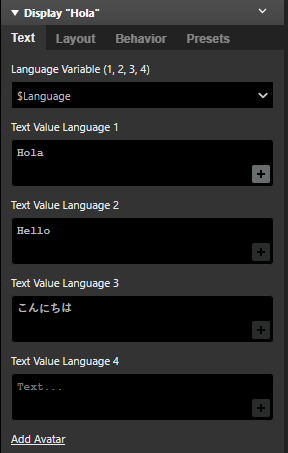
- eventTextDialogueMulti: Replaces the original dialogue event, so you won't have to modify any events in your game; it also appears in the dialogue preview section.
- eventTextDrawMulti: New event for draw text.
- eventTextChoiceMulti: New event for menu choice.
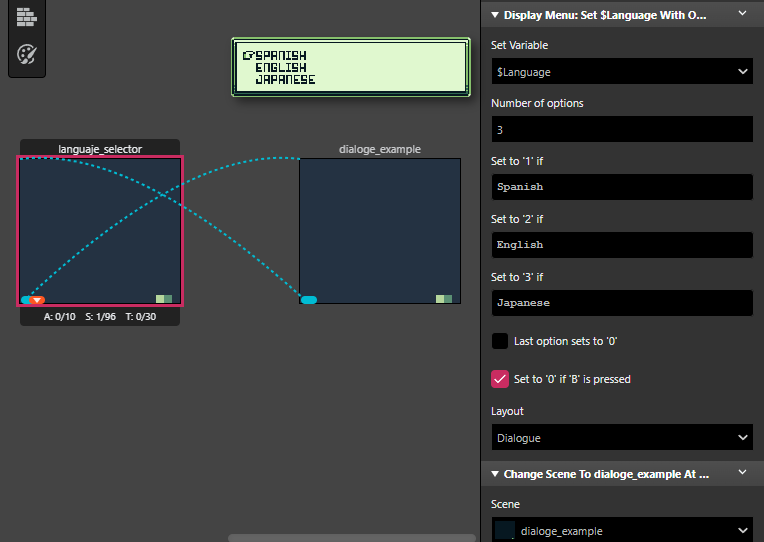
- eventMenuMulti: New event for menu.
Installation
- Download this repository or the specific plugin folder.
- Place the plugin folder inside your GB Studio project's plugins directory (example: your-project/plugins/Multi_Language_Text).
- Reload your project in GB Studio.
➡️ For more information, visit the post: Tutorial GB Studio Multi-Language with Plugin
Test projects
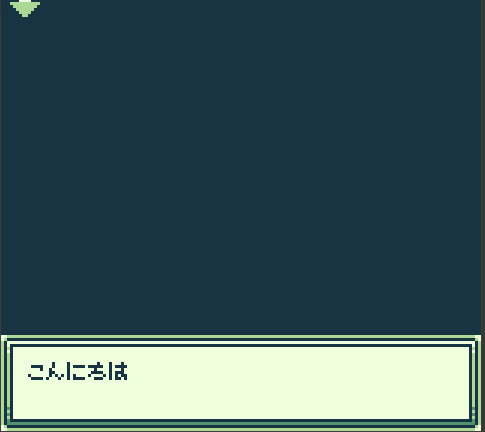
- Multi-Language_example_SP_EN_JP
Debug
The add-on is designed to handle errors and not stop your game. Here are some examples, which are as follows:
- ERMLD1: ERROR Multi Language Dialogue 1: Define VAR for Language, is null or not exist.
- ERMLD2: ERROR Multi Language Dialogue 2: Language VAR < 1
- ERMLD3: ERROR Multi Language Dialogue 3: Language VAR > 4
If you find any of them, the plugin always returns the first configured language text.
---
Thanks for reading, I hope it helps!
Download
Comments
Log in with itch.io to leave a comment.
Finally someone did it! ty!!
Thank you so much 🔥